Oct. 22, 2026 Johannes Maron
relay station log, stardate 2026.295
The wormhole is quiet. The relay is not. Four entries follow, newest first.
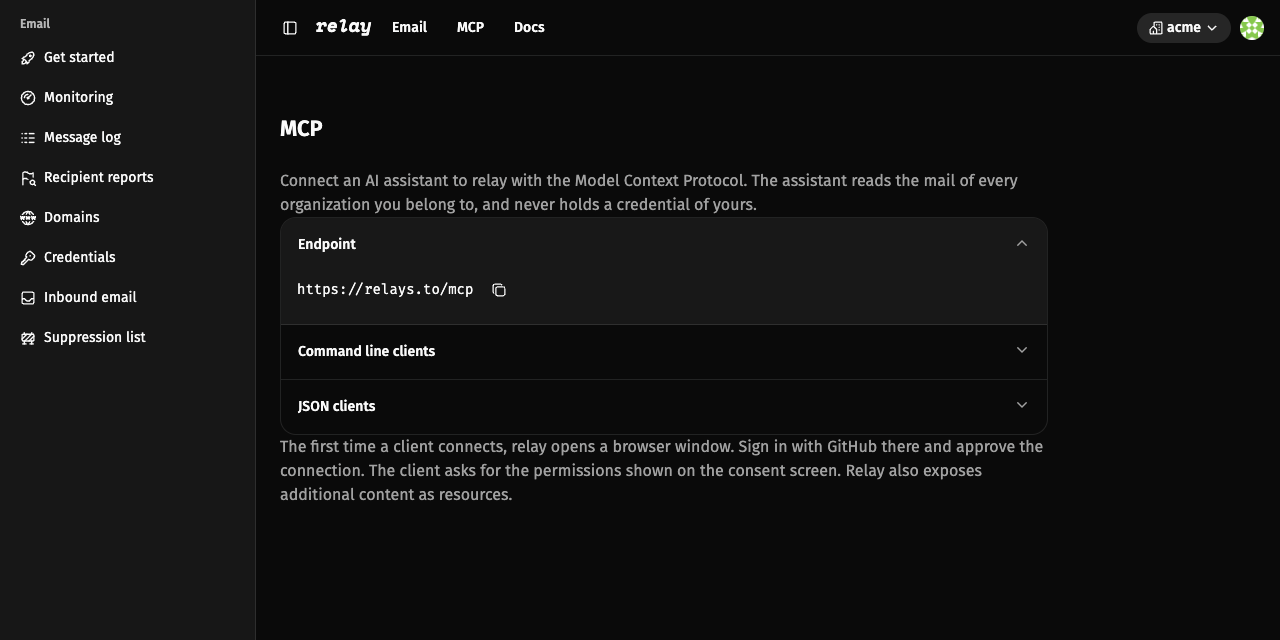
A new channel opens
A new subspace channel is open. relay hosts a Model Context Protocol server
at https://relays.to/mcp. Connect an MCP client such as Claude, Cursor, or
Codex. On the first connection, relay opens a browser window, where you sign
in with GitHub and approve the read-only scope. The assistant can then list
and filter your organizations’ sent and received mail, open one message with
its headers, spam and virus verdicts, and delivery summary, and read relay’s
documentation and know-how. Your SMTP credentials stay out of the client. Open
MCP in the dashboard and copy the endpoint, or run
codex mcp add relay --url https://relays.to/mcp.
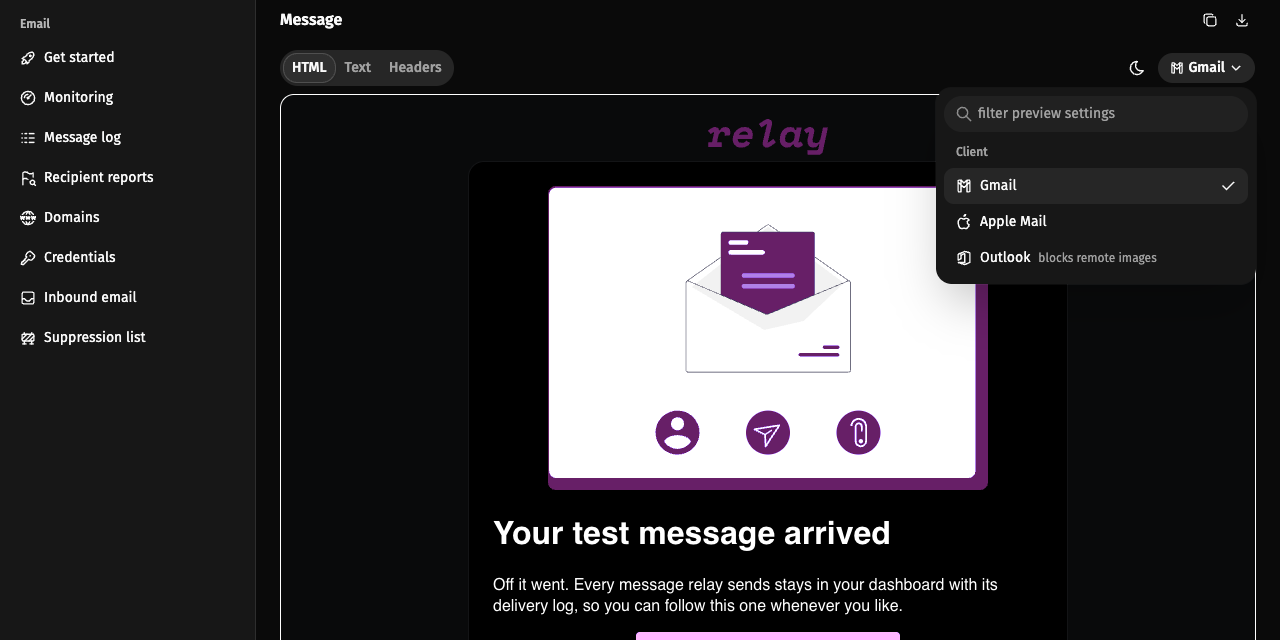
The other side of the link
A comm link looks different from the other end. Open a message with an HTML body and pick Gmail, Apple Mail, or Outlook in the preview controls. Gmail is the default, and its dark mode inverts the frame the way Gmail does. Apple Mail applies the dark styles your message carries, and Outlook blocks remote images as it does in the inbox. The preview drops CSS the chosen client cannot apply, so you see the fallbacks your recipients see. Images carried inside the message show everywhere, while images the body embeds as base64 show only in Apple Mail. The client profiles come from caniemail.com and were checked in September 2026.
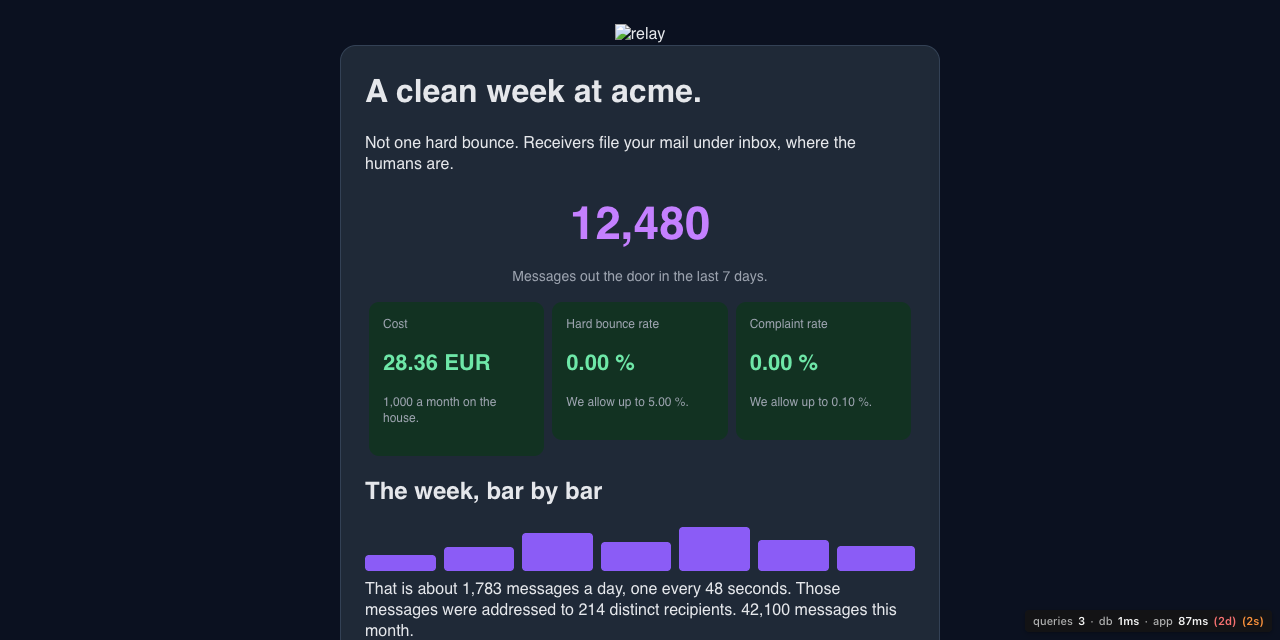
The Monday report
Every Monday morning, active members receive a digest for each organization they belong to. Read it for the last seven days of messages sent, cost, hard bounce rate, complaint rate, a daily bar chart, and the number of distinct recipients, plus the month so far and a link to monitoring. The tone stays plain: a clean week gets a clean sentence, and a week with no mail says so. It is the quietest console on the station, and that is how it should read.
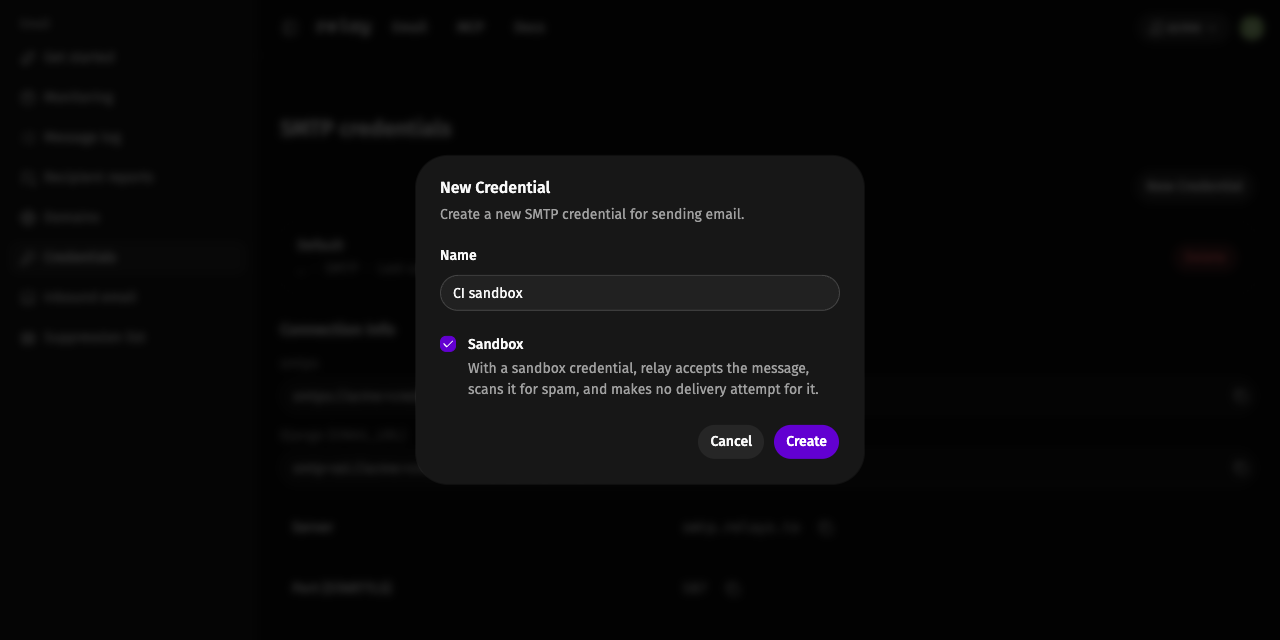
The holosuite run
Not every message should leave the station. A sandbox credential accepts mail like any other SMTP credential, but nothing goes out. Create one on the credentials page, tick Sandbox, and point CI, staging, or local development at it. Your tests follow the full submission path, the message is stored and scanned, and the recipient hears nothing. Sandbox traffic stays out of your reputation rates, so a test suite cannot move your bounce or complaint rate. A holosuite run leaves no trace on the station.
Supplemental log
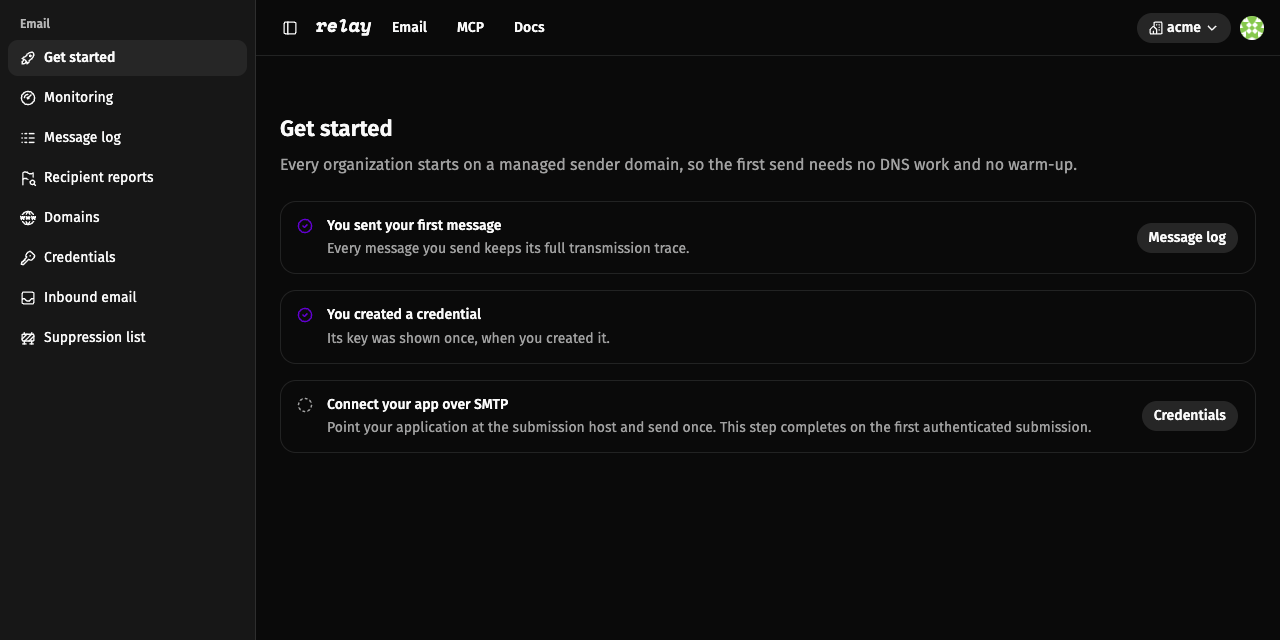
Improvements and smaller items from the same month, logged for the record. The
first send is now a three-step checklist: send a test message, create a
credential, connect over SMTP. The test message links to its own trace, and the
credential dialog hands you a smtps:// URI and a Django-ready smtp+ssl://
URI. The domain page splits the records into quick start, receiving, and
production groups, each with its own pass or fail state and copy buttons. A
temporary delivery failure no longer loses mail, and the station retries for
about an hour before it gives up. Transmission drawers show the location of
each peer IP on a small map, and the timeline shows both ends of an inbound
SMTP connection. Breadcrumbs carry the subject, complaints count once per
message, and pages no longer serve stale HTML after a deploy.
relay is open source under AGPL-3.0. If something here does not work for your setup, open an issue on GitHub. For the full reference, read the docs.
The wormhole stays open. Keep the traffic moving.
relay station out.